
AI Agents with LangGraph: Café Helper 2.0
Turn a chatbot into an AI agent that uses tools, remembers conversations and asks staff before it acts — built in Python with LangGraph and a free model on your own computer.
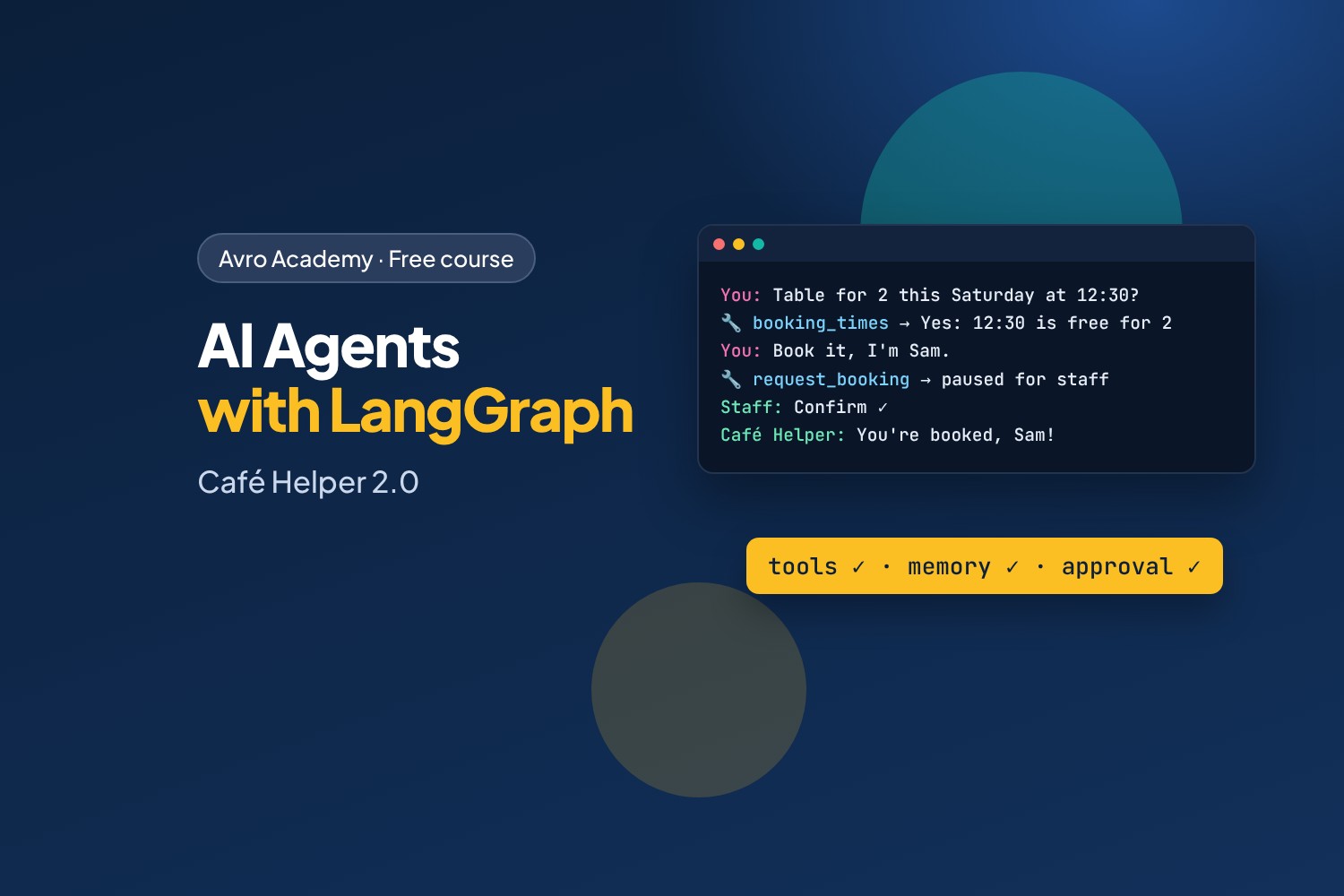
From answering questions to getting things done
A chatbot can only talk. An AI agent can do things: look up information, check a booking system, and take actions — deciding for itself which steps to take. Agents are one of the fastest-growing areas in software, and LangGraph is one of the most popular ways to build them.
In this course you'll build Café Helper 2.0 for Corner Café. It answers from the café's notes, checks which tables are really free, takes bookings — but waits for a staff member to confirm each one — remembers each customer's conversation, and hands complaints over to a person. You'll finish with a web app and a staff page.
What you'll learn
- What agents are, and when a simple workflow is the better choice
- LangGraph's building blocks: state, nodes, edges, decisions and loops
- Putting a model in a graph, and routing with structured output
- Tools and the agent loop — and how to design tools a small model can use well
- Memory with checkpointers and threads, saved in a database
- Human in the loop: pausing an agent for approval with interrupts
- A web app with a staff page, testing agents, and keeping them safe
Before you start
This course follows on from Build Your Own AI Chatbot: you should be comfortable with Python, running Ollama, and the ideas of messages, system prompts and embeddings. You'll need a computer with at least 8 GB of memory (16 GB makes it quicker) and about 6 GB of free disk space. Everything is free: the model runs on your own computer.
How it works
- 6 modules, 18 lessons, about 8 hours including quizzes
- Every program, agent run and screenshot in the lessons was recorded for real
- The finished code for every step, a quiz after each module, a cheat sheet and a certificate
Free forever — like every self-paced course on Avro Academy: all lessons, quizzes, downloads and your certificate. Our promise
Course outline
Module 1: Agents and graphs
What agents are, and LangGraph's building blocks — state, nodes, edges, decisions and loops — with no AI yet.
- What an AI agent isFree preview20 min
- Your first graph25 min
- Decisions and loops25 min
- Module 1 quiz5 min
Module 2: The model in a graph
Choosing a model that can use tools, ChatOllama, a chatbot graph with MessagesState, and a workflow that routes with structured output.
- A model that can use tools25 min
- A chatbot graph20 min
- Workflows: sorting messages25 min
- Module 2 quiz5 min
Module 3: Tools and the agent loop
Tools and tool calls, the agent loop with ToolNode and tools_condition, and designing tools a small model can use well.
- Tools25 min
- The agent loop30 min
- Designing good tools30 min
- Module 3 quiz5 min
Module 4: Memory
Checkpointers and threads, saving conversations in SQLite, state history, and trimming long conversations.
- Memory: checkpointers and threads25 min
- Memory that lasts25 min
- Looking inside the agent25 min
- Module 4 quiz5 min
Module 5: Humans in the loop
Pausing the agent for staff approval with interrupts, handing over to a person, and the web app with a staff page.
- Bookings wait for staff30 min
- Handing over to a person20 min
- The web app and staff page35 min
- Module 5 quiz5 min
Module 6: Tested, safe and next steps
Testing agents with a fake model and checking the real one, keeping agents safe, and where to go next.
- Testing agents30 min
- Keeping agents safe25 min
- Where to go next20 min
- Module 6 and final quiz5 min