← All pathwaysPathway · Coding & software
Web Developer (JavaScript)
Learn JavaScript from scratch, then build modern websites and apps with React and Next.js — with Git to manage your code and testing to make sure it works.
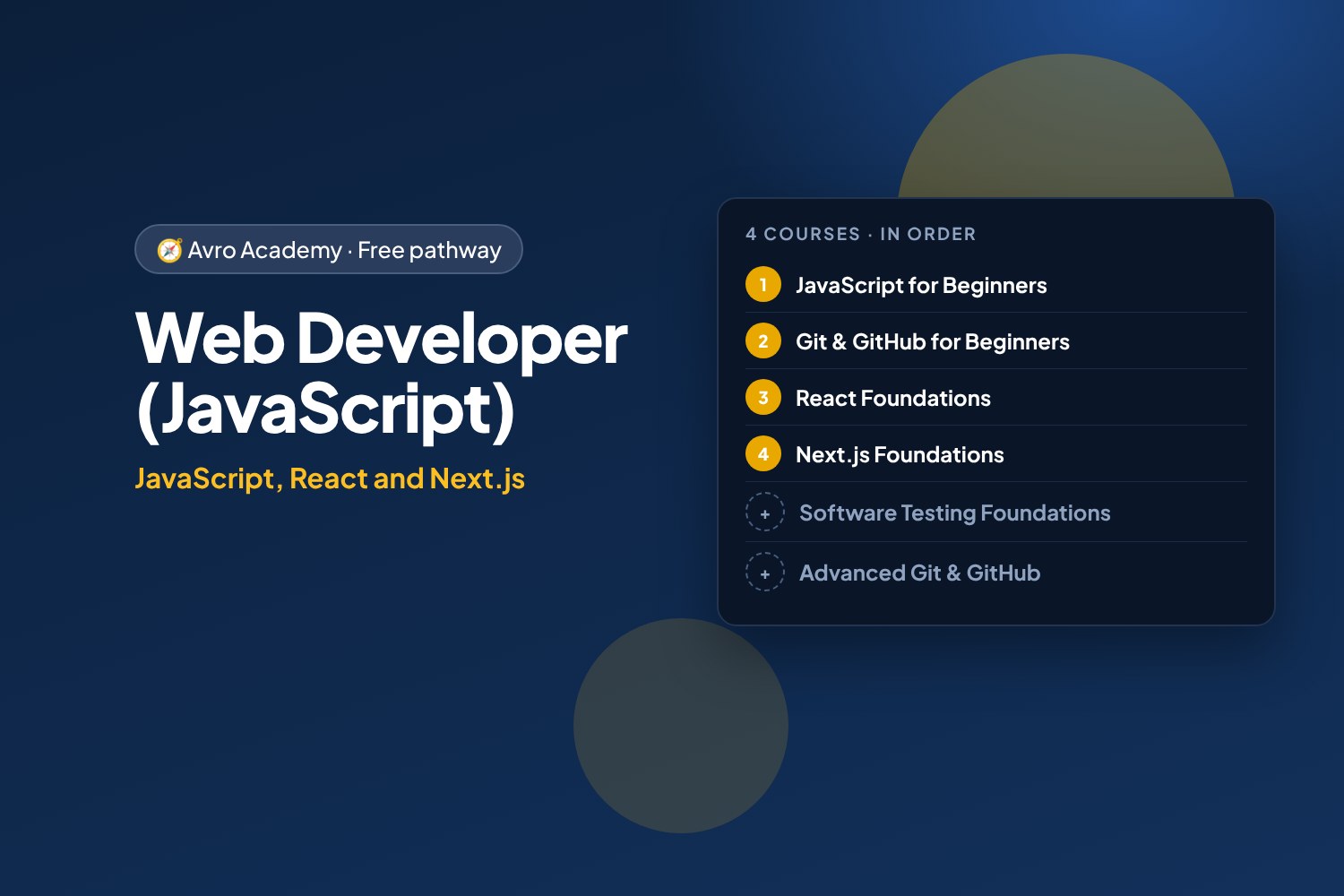
JavaScript, React and Next.js
Learn JavaScript from scratch, then build modern websites and apps with React and Next.js — with Git to manage your code and testing to make sure it works.
Free forever — like every pathway and course on Avro Academy: all lessons, quizzes, downloads and your certificates. Our promise
Who it's for
Beginners who want to build websites and web apps, and anyone aiming for a front-end developer role.
What you'll be able to do
- Program in JavaScript
- Build interactive apps with React
- Build fast websites with Next.js
- Collaborate with Git and GitHub
- Test your work like a professional
The courses
- JavaScript for Beginners: Code Your First Web Apps
- Git & GitHub for Beginners: Save, Share and Collaborate
- React Foundations: Build a Job Application Tracker
- Next.js Foundations: Build a Café Website
Optional extras
- Software Testing Foundations: Find the Bugs — Recommended: test what you build
- Advanced Git & GitHub: Work Like a Pro Team — For working in bigger teams
How it works
- Join once, and track your progress across every course in one place, under My learning
- Take the courses in order: each one opens when you finish the one before.
- 4 required courses, about 28 hours in total — at your own pace
- You get a certificate for each course, and a pathway certificate when you finish them all
- Completely free
Courses in this pathway
Take these in order: each course opens when the required one before it is complete.
Lessons (0 of 34 done)
Module 1: Getting started
- What JavaScript is — and what you can build10 min
- Setting up: the browser console and VS Code15 min
- Your first program15 min
- Reading error messages12 min
- Module 1 quiz5 min
Module 2: Values and variables
- Variables: let and const15 min
- Numbers and maths15 min
- Strings: working with text15 min
- Booleans, comparisons and converting types15 min
- Module 2 quiz5 min
Module 3: Making decisions
- Making decisions with if and else15 min
- Combining conditions: and, or, not15 min
- Module 3 quiz5 min
Module 4: Arrays and loops
- Arrays: lists of data15 min
- Loops: doing things again and again15 min
- Array methods: map, filter and find15 min
- Module 4 quiz5 min
Module 5: Functions
- Functions: reusable blocks of code18 min
- Arrow functions, defaults and scope15 min
- Project: shift pay calculator (console version)20 min
- Module 5 quiz5 min
Module 6: Objects and data
- Objects: grouping related data15 min
- Arrays of objects: working with real data18 min
- JSON: saving and sharing data12 min
- Module 6 quiz5 min
Module 7: JavaScript in the browser
- The DOM: JavaScript meets the web page18 min
- Events: responding to clicks and typing18 min
- Project: shift pay calculator web app25 min
- Project: a to-do list that remembers30 min
- Module 7 quiz5 min
Module 8: Debugging and next steps
- Debugging like a developer15 min
- Using AI coding assistants responsibly15 min
- Next steps: your portfolio and where to go from here15 min
- Module 8 and final quiz5 min
 Git & GitHub for Beginners: Save, Share and CollaborateOpens when the course before it is complete
Lessons (0 of 23 done)
Module 1: Meet Git and GitHub
- What Git and GitHub are10 min
- Your GitHub account, set up safely15 min
- Your first repository, on the website15 min
- Module 1 quiz5 min
Module 2: Git on your computer
- Install Git and set it up15 min
- Your first commits20 min
- Seeing changes and writing good messages15 min
- Undo mistakes and ignore files15 min
- Module 2 quiz5 min
Module 3: Working with GitHub
- Connect to GitHub and push20 min
- Pull and clone15 min
- GitHub Desktop and VS Code12 min
- Module 3 quiz5 min
Module 4: Branches
- Branches: a safe place to try ideas15 min
- Merge conflicts — and how to fix them20 min
- Module 4 quiz5 min
Module 5: Collaborating
- Pull requests20 min
- Issues, forks and contributing15 min
- Module 5 quiz5 min
Module 6: Show your work
- Publish your portfolio with GitHub Pages15 min
- A GitHub profile employers notice12 min
- Next steps8 min
- Module 6 and final quiz5 min
 React Foundations: Build a Job Application TrackerOpens when the course before it is complete
Lessons (0 of 32 done)
Module 1: Meet React
- What React is10 min
- Set up your computer20 min
- A tour of the project and your first component20 min
- Module 1 quiz5 min
Module 2: Components and props
- JSX: HTML inside JavaScript15 min
- Props and just enough TypeScript20 min
- Lists and conditions20 min
- Module 2 quiz5 min
Module 3: State and events
- State with useState20 min
- Calculating from state15 min
- Lifting state up and updating lists20 min
- Module 3 quiz5 min
Module 4: Forms
- Controlled forms20 min
- Checking what people type20 min
- Adding and editing jobs20 min
- Module 4 quiz5 min
Module 5: Effects
- Effects: talking to the outside world15 min
- Saving with localStorage: your own hook20 min
- Loading data with fetch20 min
- Module 5 quiz5 min
Module 6: Pages with React Router
- Pages and routes with React Router25 min
- URL parameters and navigating20 min
- Search params: filters in the address20 min
- Module 6 quiz5 min
Module 7: Sharing state
- Prop drilling and useReducer20 min
- Context: share data without props20 min
- useMemo and finding mistakes15 min
- Module 7 quiz5 min
Module 8: Test and ship
- Testing with Vitest and Testing Library30 min
- Build it and put it online25 min
- Where to go next10 min
- Module 8 and final quiz5 min
 Next.js Foundations: Build a Café WebsiteOpens when the course before it is complete
Lessons (0 of 32 done)
Module 1: Meet Next.js
- What Next.js is10 min
- Set up your computer20 min
- A tour of a Next.js project15 min
- Module 1 quiz5 min
Module 2: React essentials
- Components and JSX15 min
- Props and just enough TypeScript20 min
- Lists and conditions15 min
- Module 2 quiz5 min
Module 3: Pages and routing
- Pages come from folders12 min
- Layouts and links15 min
- Dynamic routes: a page for every item20 min
- Module 3 quiz5 min
Module 4: Styling and assets
- Tailwind CSS basics20 min
- Images and fonts15 min
- CSS Modules — and a settings fix15 min
- Module 4 quiz5 min
Module 5: Server and client components
- Server Components: the default15 min
- Client Components: state and events20 min
- Time, Suspense and streaming20 min
- When things go wrong: error pages12 min
- Module 5 quiz5 min
Module 6: Forms and Server Actions
- Forms and Server Actions20 min
- useActionState: errors and loading20 min
- Route Handlers: your own API15 min
- Module 6 quiz5 min
Module 7: SEO and settings
- Metadata and social sharing15 min
- Sitemaps, robots and environment variables15 min
- Module 7 quiz5 min
Module 8: Ship it
- Build for production12 min
- Deploy to Vercel20 min
- Next steps10 min
- Module 8 and final quiz5 min
 Software Testing Foundations: Find the Bugs
Recommended: test what you build
Opens when the course before it is completeLessons (0 of 28 done)
Module 1: Meet software testing
- What software testers do15 min
- How software gets tested20 min
- Meet the practice app20 min
- Module 1 quiz5 min
Module 2: Designing tests
- Reading requirements and asking questions20 min
- Writing test cases25 min
- Boundaries, partitions and decision tables25 min
- Module 2 quiz5 min
Module 3: Exploratory testing
- What exploratory testing is15 min
- Heuristics and tours20 min
- Run a test session25 min
- Module 3 quiz5 min
Module 4: Reporting bugs
- Writing a good bug report25 min
- Severity and priority15 min
- Reproduce, isolate and gather evidence25 min
- Module 4 quiz5 min
Module 5: Beyond "it works"
- Phones, browsers and usability20 min
- Accessibility testing25 min
- Security and data: a tester's mindset20 min
- Module 5 quiz5 min
Module 6: Testing in a team
- Test plans and risk20 min
- Regression, smoke tests and reports20 min
- Testing in an agile team20 min
- Module 6 quiz5 min
Module 7: Automating tests with Playwright
- Set up Playwright and your first test30 min
- Locators, assertions and testing requirements30 min
- Run, read the results, and what's next30 min
- Module 7 and final quiz5 min
 Advanced Git & GitHub: Work Like a Pro Team
For working in bigger teams
Opens when the course before it is completeLessons (0 of 28 done)
Module 1: How Git really works
- Commits are snapshots: Git's objects15 min
- Branches and HEAD are just pointers15 min
- Remotes: fetch, pull and origin/main15 min
- Module 1 quiz5 min
Module 2: Undo anything
- Amend and revert15 min
- Reset: soft, mixed and hard20 min
- The reflog: rescuing 'lost' work15 min
- Module 2 quiz5 min
Module 3: Clean history
- Rebase vs merge20 min
- Interactive rebase and fixup commits20 min
- Force-pushing safely15 min
- Module 3 quiz5 min
Module 4: Power tools
- Stash and cherry-pick15 min
- git bisect: find the commit that broke it20 min
- Tags and releases12 min
- Searching history: log, blame and pickaxe15 min
- Module 4 quiz5 min
Module 5: Team workflows
- GitHub Flow and protected branches15 min
- Pull request templates and code owners12 min
- Commit messages and history teams love12 min
- Module 5 quiz5 min
Module 6: GitHub Actions
- Your first GitHub Actions workflow20 min
- Secrets, Dependabot and status badges15 min
- Module 6 quiz5 min
Module 7: Security, open source and capstone
- Leaked a secret? What to do20 min
- Open source: licences and contributing15 min
- Capstone: run a team project like pros20 min
- Module 7 and final quiz5 min